Make yourself at home
Sign in and start with your account overview. Your balance, funds, and activity are all right there.
Read the guideA different way to see the markets. Connect AI trading, cross-market insights, and your entire account in one focused workspace.

Give every part of your trading routine a place. Explore the market, follow your sessions, and understand the activity behind your account — without losing the bigger picture.
Models, sessions, and execution.
Bring the full process into view.
One view across venues.
Follow the connections between markets.
Charts, instruments, and positions.
A dedicated space for market detail.
Four focused spaces.
One connected experience.

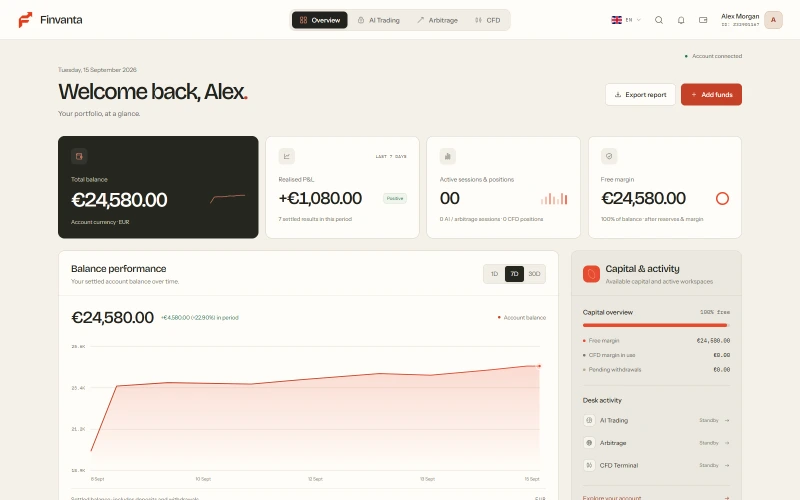
Start with a complete view of your account. Balance, available capital, performance and recent activity come together in one clear dashboard.
Open OverviewReview your balance, allocated capital and available funds together.
Move from recent activity to the account statement for a closer look at each entry.

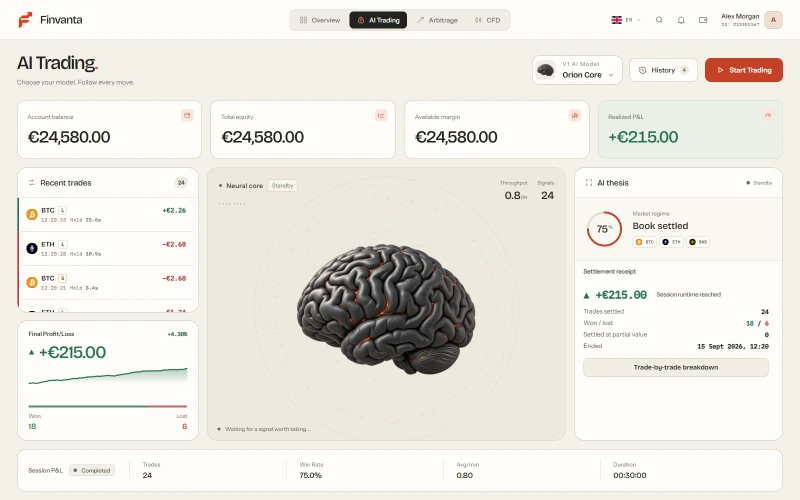
Explore Orion, Vega and Lyra in a dedicated session workspace. Review model access, follow session progress and keep each result connected to your account.
Open AI Trading RoomReview the models available to your account and the session settings before you begin.
Follow session activity and review completed results in your account history.

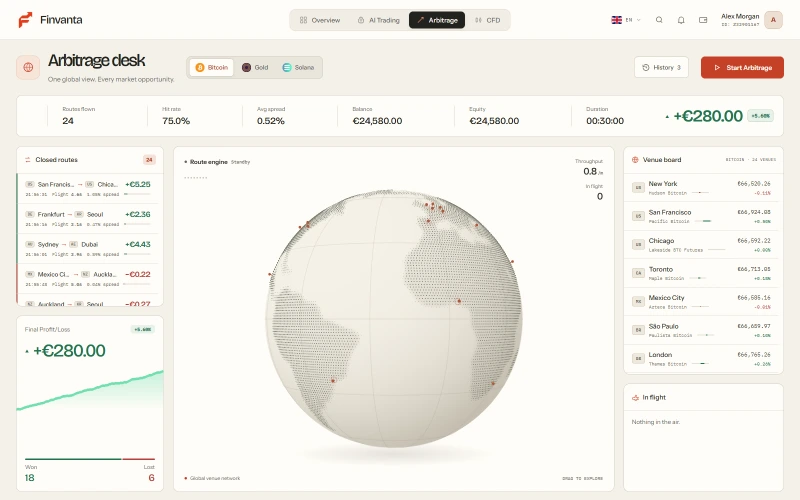
Explore Bitcoin, Gold and Solana through a dedicated cross-market workspace. A global view brings instruments, venue references and session activity into focus.
Open Arbitrage DeskFollow displayed spreads and instrument context across the venue map.
Keep session progress and outcomes in view, then return to your account record.

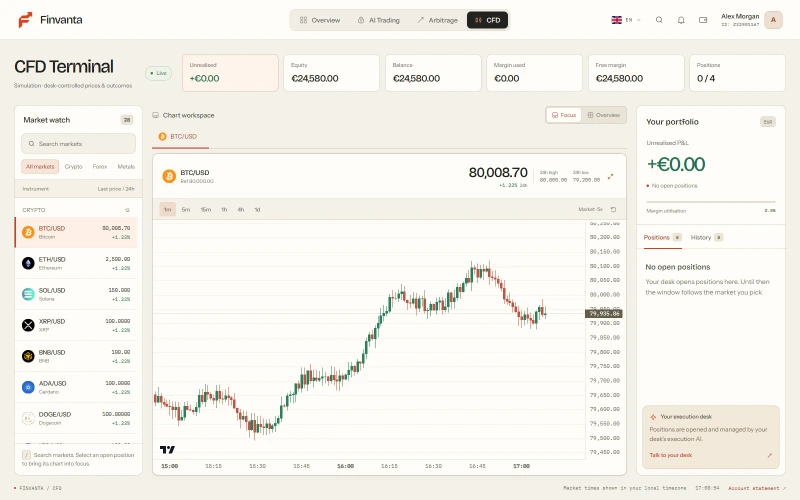
Bring digital assets, currencies, commodities, indices and equities into a multi-window terminal. Follow instrument charts alongside your desk-managed positions.
Open CFD TerminalChoose instruments and chart timeframes to create a workspace that fits your focus.
Review position direction, timing and outcomes alongside the instrument chart.
Your account is the thread that connects it all. Move from an overview to a session, from a market view to a statement. The context comes with you.
Get to know FinvantaSign in and start with your account overview. Your balance, funds, and activity are all right there.
Read the guideExplore AI Trading, Arbitrage, or CFD. Each workspace brings a different part of the market into focus.
Read the guideReview your activity, revisit statements, and export the account record whenever you need it.
Explore statementsFinvanta brings AI trading sessions, cross-market views and account management into one workspace. Start with Overview, explore the AI Trading Room, Arbitrage Desk or CFD Terminal, then review your activity in Account.
Choose Open workspace or Sign in and enter your account email and password. New to Finvanta? Select the registration option on the sign-in screen and follow the account setup instructions.
AI and arbitrage sessions use real trading activity, and CFD positions are managed by the desk using real pricing. Results describe activity within your Finvanta account and reflect real trade execution. Read our risk disclosure for details.
Overview shows your recent account activity and performance. Open Account → Statement to review individual balance movements, filter by date or entry type, and download a CSV for your records.
Open Support in your workspace for a conversation with the Finvanta team, or visit Account → Support desk to submit an account request. The help centre also covers account access, verification, funding and statements.
Trading involves the risk of loss. AI tools, market data and historical results cannot guarantee future performance. Review the risk disclosure to understand market, model, leverage and operational risks.
Welcome to a new way of looking at the markets.